
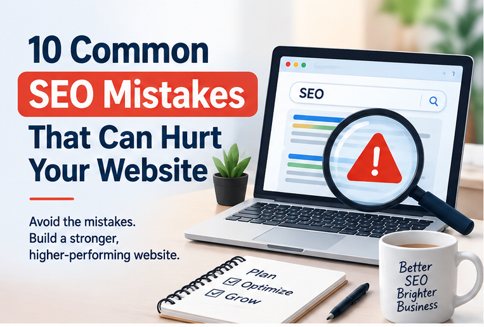
An In-Depth Strategy Guide by SeeSam Solutions
Building a fast, modern, and visually stunning website is a massive milestone for any business, but it represents only half the battle in today’s fiercely competitive online landscape. A beautifully engineered website is virtually invisible if search engine crawlers cannot index, parse, or understand its core content. Without targeted search visibility, potential customers who are actively searching for your solutions will end up on a competitor’s domain instead.
At SeeSam Solutions, we regularly observe businesses invest heavily in digital infrastructure, custom design, and software integrations, only to discover that critical SEO mistakes are holding back their growth. Understanding common SEO mistakes and proactively implementing proven SEO best practices is an essential requirement for long-term digital viability. Whether you operate a large-scale e-commerce system, a corporate enterprise site, or a specialized technical platform, staying ahead of search engine optimization is vital.
In this comprehensive, step-by-step masterclass, we will identify the top 10 SEO errors that hurt rankings and outline concrete, actionable ways to improve SEO ranking for your business.
The Hidden Cost of Search Engine Optimization Mistakes
Modern search algorithms such as Google’s helpful content systems and AI-driven indexing algorithms are far sophisticated than the simple keyword-matching engines of the past. Today’s algorithms evaluate hundreds of factors simultaneously, focusing on searcher intent, page responsiveness, structural clarity, and content authenticity. When your platform suffers from technical glitches, poor structural design, or misaligned messaging, you face serious SEO issues affecting website rankings.
The financial impact of search engine neglect goes beyond losing top spots on search result pages. It directly affects customer acquisition costs (CAC). When organic traffic drops, businesses are forced to rely heavily on expensive paid channels like Google Ads and social media campaigns to maintain lead volume. By identifying and correcting these common SEO errors, you build a durable, self-sustaining growth channel that delivers qualified leads continuously.
Top 10 Common SEO Mistakes to Avoid
1. Ignoring Search Intent During Keyword Research
Focusing strictly on raw monthly search volume while ignoring the actual intent behind user searches is one of the most destructive search engine optimization mistakes a digital team can commit. Search intent reflects what the user expects to see when they type a query into a search engine. Search queries fall into four major intent categories: Informational (seeking knowledge), Navigational (looking for a specific brand or URL), Commercial (investigating choices before buying), and Transactional (ready to make an immediate purchase).
If a user enters a query like “how to fix a slow page load time,” they want an actionable troubleshooting guide. If you direct that user to a hard-sell sales page for web hosting services, the user will immediately leave your site. High bounce rates send negative signals to search algorithms, which lowers your domain authority for those terms.
• How to Fix It: Categorize your keyword target lists by user intent before writing content. Ensure transactional queries lead to product and service pages, while informational queries point to in-depth guides and tutorials.
• Pro Strategy: Search your target keywords in Google yourself. Observe what types of pages currently rank on Page 1 (e.g., listicles, product pages, videos) and structure your page format to match what searchers expect.
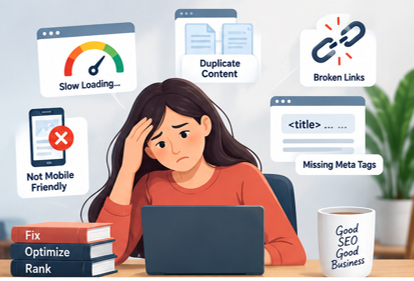
2. Slow Page Load Speed (Technical SEO Mistakes)
Page load speed is both a direct ranking factor in search engine algorithms and a primary metric in user retention. Unoptimized speed is a major source of technical SEO mistakes that undermine user engagement before a visitor ever gets a chance to view your content. Search engines prioritize sites that load quickly because fast loading directly improves user satisfaction.
Impact of Load Time on Visitor Retention:
| Page Load Speed Duration | Bounce Rate Probability Increase |
| 1 Second to 3 Seconds | Increases by 32% |
| 1 Second to 5 Seconds | Increases by 90% |
| 1 Second to 6 Seconds | Increases by 106% |
| 1 Second to 10 Seconds | Increases by 123% |
• How to Fix It: Regularly monitor performance using Google PageSpeed Insights and GTmetrix. Convert standard images into WebP/AVIF formats, turn on browser caching, minify CSS/JavaScript files, and upgrade to high-speed cloud infrastructure.
• Pro Strategy: Focus heavily on Core Web Vitals metrics, specifically Largest Contentful Paint (LCP), Interaction to Next Paint (INP), and Cumulative Layout Shift (CLS).
3. Poor Mobile Optimization and Responsive Design Failures
With mobile devices accounting for over 60% of total web traffic worldwide, search engines rely entirely on mobile-first indexing. This means search engine crawlers evaluate the mobile version of your page first when indexing and assigning rankings. Treating mobile design as an secondary task leads to significant website ranking mistakes.
A desktop-optimized layout that breaks on smaller mobile viewports creates major accessibility issues. Common mobile flaws include overlapping navigation links, small text that forces users to zoom, unresponsive forms, and intrusive full-screen pop-ups that block primary page content.
• How to Fix It: Adopt a true mobile-first responsive web design approach. Ensure interactive elements like buttons have plenty of spacing for touch interaction, structure fluid layout grids, and test across multiple screen sizes.
• Pro Strategy: Use Google Search Console’s Mobile Usability reports to identify and resolve layout shifts and usability issues on mobile viewports.
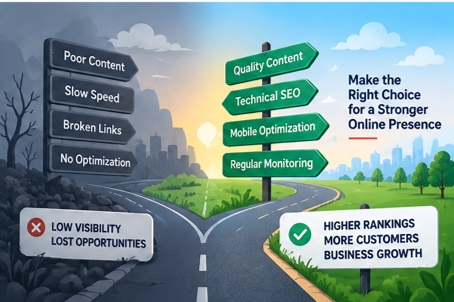
4. Duplicate Content and Mismanaged Canonicalization
Duplicate content occurs when identical or substantially similar content appears across multiple web pages on your domain (or across different websites). This often happens accidentally on e-commerce platforms due to product filtering, dynamic URL parameters, HTTP vs. HTTPS variations, or trailing slashes in page paths.
When crawlers encounter identical content on multiple URLs, they struggle to determine which version should be indexed and given ranking credit. This dilutes link authority across duplicate pages and can result in all versions dropping in search positions.
• How to Fix It: Implement canonical tags (rel=”canonical”) on all pages to indicate the master version to search engines. Set up 301 redirects when consolidating old URLs into a single primary path.
• Pro Strategy: Configure URL parameter rules directly within Google Search Console to stop crawlers from creating duplicate index entries for dynamic filtering pages.
5. Neglecting Critical On-Page SEO Elements
Skipping fundamental on-page SEO mistakes—such as missing title tags, repetitive meta descriptions, weak heading hierarchies (H1, H2, H3), or unoptimized image ALT tags—robs search engine crawlers of essential context. On-page metadata tells search engines what your content covers and why it is relevant.
Title tags remain one of the strongest direct ranking factors on your page. A page without a descriptive, keyword-targeted Title Tag misses out on key search traffic. Similarly, weak or generic meta descriptions lower Click-Through Rates (CTR) on search results pages.
• How to Fix It: Craft unique, compelling Title Tags featuring your target keyword near the beginning. Write clear meta descriptions that contain a strong Call to Action (CTA). Structure your text using a clear H1-H2-H3 heading system.
• Pro Strategy: Add descriptive ALT text to all website images. This improves web accessibility for screen readers while helping your images rank in Google Image Search.
6. Overlooking Internal Linking Architecture
Internal links connect your web pages to one another, passing link authority (PageRank) across your site and providing search engines with a clear map of your content structure. A weak internal linking strategy creates isolated “orphan pages”—pages that have no links pointing to them. Orphan pages are difficult for search crawlers to discover, index, and rank.
Furthermore, using non-descriptive anchor text like “click here” or “read more” misses an opportunity to show search engines what the target page covers. Strategic internal links also keep users engaged longer by guiding them to related content.
• How to Fix It: Build a logical topic cluster site architecture. Use descriptive, keyword-rich anchor text that clearly indicates the topic of the linked page.
• Pro Strategy: Audit your site for orphan pages every quarter using technical site crawling tools like Screaming Frog or Ahrefs. Ensure every valuable page has at least 2 to 4 internal links from related content.
7. Thin, Low-Quality, or Keyword-Stuffed Content
Years ago, web creators could boost rankings by repeatedly forcing target keywords into 300-word articles. Today, this practice (known as keyword stuffing) directly violates search quality guidelines and can trigger automated search penalties.
Publishing short, superficial content that provides no genuine value is another common pitfall. Search algorithms favor comprehensive, authoritative content that provides original insights, expert perspectives, clear data, and actionable answers.
• How to Fix It: Focus on topic depth rather than word count for its own sake. Write naturally for human readers while incorporating secondary search terms where they fit logically.
• Pro Strategy: Align your content creation with Google’s E-E-A-T guidelines (Experience, Expertise, Authoritativeness, and Trustworthiness). Include author bios, expert quotes, and verifiable references.
8. Accumulating Broken Links and 404 Errors
As websites grow, undergo redesigns, or remove outdated offerings, broken internal links and dead external links naturally develop. Accumulating broken links creates severe common SEO problems by frustrating users with dead ends and wasting crawler budget. When search engine crawlers encounter continuous 404 errors, it sends a negative quality signal about your site maintenance.
• How to Fix It: Run periodic site audits to catch and repair broken internal links. Use proper 301 redirects to guide users and search bots to updated URLs.
• Pro Strategy: Create a custom, user-friendly 404 error page equipped with a search bar, key service links, and popular blog topics to keep lost visitors on your domain.
9. Ignoring Local SEO and Google Business Profile Optimization
For organizations offering local or regional services, neglecting local search optimizations is a major category of website SEO mistakes. Over 40% of all Google searches carry local intent (e.g., “web development firm near me”). Failing to optimize for local search causes you to lose high-intent local buyers directly to competitors.
Local SEO depends heavily on information consistency across the web. If your business Name, Address, and Phone number (NAP) differ across local business directories, search engines lose trust in your location accuracy.
• How to Fix It: Claim, verify, and fully optimize your Google Business Profile. Maintain precise NAP consistency across all web directories and local platforms.
• Pro Strategy: Encourage satisfied clients to leave detailed Google reviews, and incorporate localized keywords naturally into your localized landing pages.
10. Skipping Analytics Monitoring and Continuous Audits
Search Engine Optimization is an ongoing strategy, not a one-time setup project. Competitors continually refine their content, algorithm standards shift, and web pages naturally decay over time. Launching pages without continuous monitoring makes it impossible to see which tactics generate traffic, which pages lose positions, and where technical errors pop up.
Without tracking performance analytics, you operate in the dark, missing critical security issues, crawl anomalies, or sudden drops in key rankings.
• How to Fix It: Set up Google Analytics 4 (GA4) alongside Google Search Console. Check key performance indicators (KPIs) monthly to identify organic traffic patterns, keyword visibility, and user behavior.
• Pro Strategy: Schedule quarterly technical SEO reviews to fix emerging site errors, refresh declining content, and capture new search opportunities before competitors do.
Action Plan: How to Improve Website SEO Step-by-Step
To fix existing errors and avoid SEO mistakes to avoid in the future, follow this systematic multi-phase execution strategy:
• Phase 1 – Technical Audit: Run full technical site scans using Screaming Frog, Search Console, or PageSpeed Insights to uncover site speed bottlenecks, broken links, mobile errors, and indexation blockers.
• Phase 2 – On-Page Optimization: Audit core meta tags, title structures, heading tag hierarchies, image ALT texts, and internal link distributions across all core service and landing pages.
• Phase 3 – Content Quality Refresh: Identify thin, duplicate, or outdated articles. Update them with fresh data, clear answers to common questions, and strategic keyword coverage to match modern search intent.
• Phase 4 – Link Architecture Setup: Build structured internal link webs around key topic hubs to pass page authority seamlessly to high-value product or service landing pages. • Phase 5 – Performance Monitoring: Set up continuous analytics dashboards in GA4 and Search Console to monitor rankings, click-through rates, organic conversion metrics, and site health indicators.
Build a Resilient Digital Presence with SeeSam Solutions At SeeSam Solutions, we empower organizations to modernize their web presence, eliminate technical friction, and build robust digital assets that drive consistent organic growth.
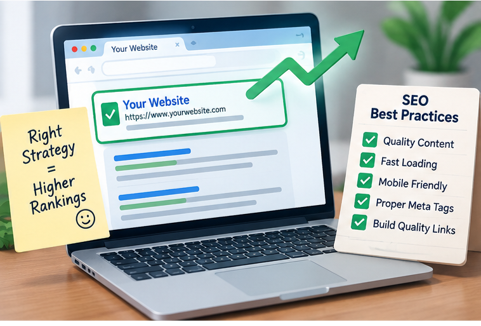
Whether you require a full technical SEO audit, web architecture optimizations, or strategic guidance to eliminate critical SEO mistakes, SeeSam Solutions delivers targeted solutions tailored to your unique market goals. Reach out to our expert digital strategy team today to fortify your web performance and maximize your organic search potential.